Best Desktop PCs of 2026: 10 Compared

A desktop is the rare gadget you buy once and live with for years, so the decision deserves more than a glance at the headline number. We lined up 10 machines side by side and the gap between them is wide: full towers built for upgrades sit next to palm-sized mini PCs and certified-renewed office boxes. The right one depends less on raw horsepower than on the shape of your desk and the work you actually do.
Desktop shopping splits fast into camps. Some buyers want a full tower they can crack open and upgrade for years; others want a mini PC small enough to vanish behind a monitor; plenty just want a dependable office box that boots fast and runs Windows 11. This list of 10 spans all three, from a certified-renewed Dell Optiplex 7040 SFF to the flagship Dell Tower Desktop ECT1250 with its Intel Core Ultra 7-265 chip. Brand-wise you get Dell, HP, Kamrui, and Acemagic, so there is range in both form factor and price. To rank them we compared the current Amazon specs, photos, and pricing for all 10, then scored each on capability, value, and how cleanly it fits a real use case. A 1.08 lb Kamrui mini and a 13.14 lb HP tower do not compete for the same buyer, so we weighed each against its intended job rather than forcing one yardstick across the board. The picks below reflect that: a clear overall winner, a true budget hero, and several strong situational choices worth knowing about.
The short version: The Dell Tower Desktop ECT1250 takes the top spot, earning it with an Intel Core Ultra 7-265 processor, 32GB of memory, a 1TB M.2 SSD, and tool-less access for easy upgrades. For shoppers watching every dollar, the Dell Optiplex 7040 SFF Intel Core i5-6500 is the value pick, a certified-refurbished small-form-factor machine that covers the basics without fuss.
- The Dell Tower Desktop ECT1250 ranks #1 of the 10 we compared, leading with an Intel Core Ultra 7-265, 32GB memory, and a 1TB M.2 SSD.
- The Dell Optiplex 7040 SFF Intel Core i5-6500 is the value pick, a certified-refurbished SFF machine for budget-first buyers.
- The HP Envy Desktop PC is the premium choice, built around an Intel Core i7-14700 with UHD Graphics 770.
- Form factor spans widely, from the 1.08 lb Kamrui E3B mini to the 13.14 lb HP Envy tower.
- Several picks pair 32GB RAM with a 1TB SSD, including the Dell Tower ECT1250, Kamrui E3B, and Acemagic M5.
Our Top 3 Picks

- Intel Core Ultra 7-265 with built-in AI
- 32GB memory and 1TB M.2 SSD
- Drives up to four FHD monitors
- Tool-less entry and removable side panel
- Hardware TPM security chip

- Intel Core i7-7700 at 3.60GHz, four cores
- 32GB DDR4 memory
- 1TB SSD for fast boot and storage
- WiFi, Bluetooth, and dual-monitor support
- Windows 11 Pro

- AMD Ryzen 7 7730U on Zen 3 architecture
- Radeon graphics turbo up to 2000 MHz
- 32GB DDR4 expandable to 64GB
- 1TB M.2 SSD with expansion room
- WiFi 6 and Bluetooth 5.2
Full Comparison — All 10 Desktop PC
| Image | Product | Features | Price |
|---|---|---|---|
Editor's Choice |
| Check Price on Amazon Read Full Review | |
Best Value |
| Check Price on Amazon Read Full Review | |
Premium Pick |
| Check Price on Amazon Read Full Review | |
 |
| Check Price on Amazon Read Full Review | |
 |
| Check Price on Amazon Read Full Review | |
 |
| Check Price on Amazon Read Full Review | |
 |
| Check Price on Amazon Read Full Review | |
 |
| Check Price on Amazon Read Full Review | |
 |
| Check Price on Amazon Read Full Review | |
 |
| Check Price on Amazon Read Full Review |
How They Compare
Top picks — strengths at a glance
Brands compared
All 10, Reviewed
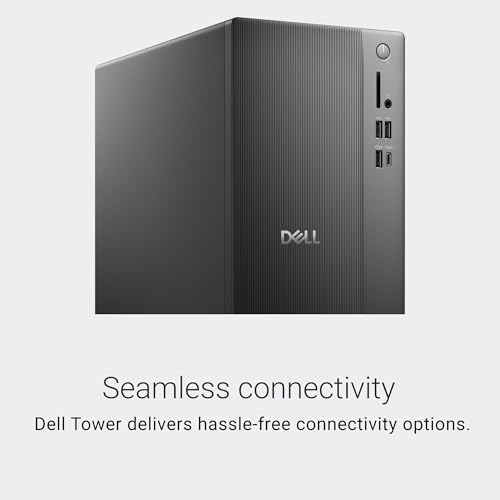
Built around an Intel Core Ultra 7-265 processor with built-in AI, this Dell tower pairs 32GB of memory with a 1TB M.2 SSD and adds a 3.0 SD card reader plus a wired keyboard and mouse. Four-monitor support through DisplayPort and daisy chaining makes it a natural for multitasking, and the tool-less, removable side panel keeps upgrades simple. It runs Windows 11 Home and topped our ranking on the strength of that well-rounded mix.
CONS
- Intel Core Ultra 7-265 with built-in AI
- 32GB memory and 1TB M.2 SSD
- Drives up to four FHD monitors
- Tool-less entry and removable side panel
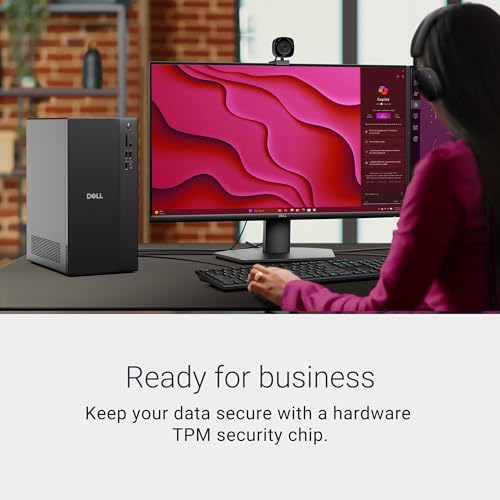
- Hardware TPM security chip
- Intel Core Ultra 7-265 with built-in AI
- 32GB memory and 1TB M.2 SSD
- Drives up to four FHD monitors
- Tool-less entry and removable side panel
- Tower footprint needs dedicated desk or floor space
This renewed Dell Optiplex 7050 packs a quad-core Intel Core i7-7700 running at 3.60GHz, 32GB of DDR4, and a 1TB SSD into a small-form-factor chassis. WiFi, Bluetooth, HDMI, and dual-monitor support round it out, and it arrives running Windows 11 Pro in excellent condition. That combination of generous RAM and storage for the money is why it lands as a strong value runner-up.
CONS
- Intel Core i7-7700 at 3.60GHz, four cores
- 32GB DDR4 memory
- 1TB SSD for fast boot and storage
- WiFi, Bluetooth, and dual-monitor support
- Windows 11 Pro
- Intel Core i7-7700 at 3.60GHz, four cores
- 32GB DDR4 memory
- 1TB SSD for fast boot and storage
- WiFi, Bluetooth, and dual-monitor support
- Renewed unit rather than brand-new
- Seventh-gen i7 is older than the top picks' silicon
KAMRUI's E3B mini leans on an AMD Ryzen 7 7730U built on the Zen 3 architecture, with integrated AMD Radeon graphics that turbo up to 2000 MHz. It carries 32GB of DDR4 RAM, expandable to 64GB, and a 1TB M.2 SSD with room to grow, plus WiFi 6 and Bluetooth 5.2 for fast, stable wireless. At just 1.08 lb with 4K triple-display and Type-C output, it delivers a lot of capability in a tiny case, which earns its top-three spot.
CONS
- AMD Ryzen 7 7730U on Zen 3 architecture
- Radeon graphics turbo up to 2000 MHz
- 32GB DDR4 expandable to 64GB
- 1TB M.2 SSD with expansion room
- WiFi 6 and Bluetooth 5.2
- AMD Ryzen 7 7730U on Zen 3 architecture
- Radeon graphics turbo up to 2000 MHz
- 32GB DDR4 expandable to 64GB
- 1TB M.2 SSD with expansion room
- Mini chassis limits internal upgrades versus a tower
- Relies on integrated graphics rather than a discrete GPU
The Dell Slim ECS1250 brings an Intel Core Ultra 5-225 processor with built-in AI, 16GB of memory, and a 512GB M.2 SSD into a chassis sized for tight workspaces. Like its bigger sibling it drives up to four FHD monitors over DisplayPort 1.4a and opens tool-lessly via a removable side panel. A 3.0 SD card reader, wired peripherals, and Onsite+Migrate service round out a tidy Windows 11 Home machine for buyers short on desk space.
CONS
- Intel Core Ultra 5-225 with built-in AI
- Supports up to four FHD monitors via DisplayPort 1.4a
- Tool-less entry and removable side panel
- Hardware TPM security chip
- Slim design for small workspaces
- Intel Core Ultra 5-225 with built-in AI
- Supports up to four FHD monitors via DisplayPort 1.4a
- Tool-less entry and removable side panel
- Hardware TPM security chip
- 16GB memory trails the 32GB picks here
- 512GB SSD is smaller than the 1TB top picks
ACEMAGIC's M5 mini runs a 14th-gen Intel Core 14450HX, an HX-series mobile chip pitched as a performance standout, alongside 32GB of dual-channel DDR4 and a 1TB NVMe PCIe 4.0 SSD. It arrives with Windows 11 Pro pre-installed and adds Type-C, USB 3.2, WiFi 6, and Bluetooth 5.2. Measuring just 5.03 by 5.03 by 1.62 inches, it crams desktop-class memory and storage into a genuinely portable shell.
CONS
- 14th-gen Intel Core 14450HX HX-series processor
- 32GB dual-channel DDR4 RAM
- 1TB NVMe PCIe 4.0 SSD
- WiFi 6, Bluetooth 5.2, and Type-C
- Compact 5.03 x 5.03 x 1.62-inch design
- 14th-gen Intel Core 14450HX HX-series processor
- 32GB dual-channel DDR4 RAM
- 1TB NVMe PCIe 4.0 SSD
- WiFi 6, Bluetooth 5.2, and Type-C
- Compact case limits internal expansion
- No discrete graphics listed in its spec sheet
HP's Envy Desktop centers on an Intel Core i7-14700 with 32GB of RAM, a 1TB SSD, and Intel UHD Graphics 770 that can smoothly stream 4K content. It runs Windows 11 Pro and is styled to fit a workspace while handling demanding tasks. At 13.14 lb it is the heaviest machine here, but that footprint comes with the kind of current Intel performance that makes it our premium pick.
CONS
- Intel Core i7-14700 processor
- 32GB RAM and 1TB SSD
- Intel UHD Graphics 770 streams 4K content
- Windows 11 Pro
- Workspace-friendly design
- Intel Core i7-14700 processor
- 32GB RAM and 1TB SSD
- Intel UHD Graphics 770 streams 4K content
- Windows 11 Pro
- Heaviest unit here at 13.14 lb
- Lists no tool-less upgrade access like the Dell towers
The Kamrui Essenx E1 runs an AMD Athlon Gold 3150U with two cores and four threads, paired with 8GB of DDR4 and a 256GB M.2 SSD. It supports dual 4K output over HDMI 2.0 and DisplayPort 1.4, and brings a full port set including four USB 3.2 connectors and gigabit Ethernet, so peripherals plug in without dongles. Built for 24/7 operation, it suits home NAS, media-center, or light-server roles where modest specs are plenty.
CONS
- AMD Athlon Gold 3150U, 2 cores / 4 threads
- Dual 4K display via HDMI 2.0 and DisplayPort 1.4
- Four USB 3.2 ports and gigabit Ethernet
- Built for 24/7 operation
- Compact mini desktop form
- AMD Athlon Gold 3150U, 2 cores / 4 threads
- Dual 4K display via HDMI 2.0 and DisplayPort 1.4
- Four USB 3.2 ports and gigabit Ethernet
- Built for 24/7 operation
- 8GB RAM and 256GB SSD trail most picks here
- Two-core chip is the lightest processor on the list
This renewed Dell Optiplex 9020 comes as a productivity bundle, pairing an Intel Quad-Core i5 with 8GB of DDR3 RAM, 500GB of HDD storage, and WiFi, then adding a 20-inch monitor to the box. It runs Windows 11 Pro and ships under Amazon Renewed's 90-day warranty with technical support. For a budget buyer who needs a complete, ready-to-go setup, the included display is its real draw.
CONS
- Intel Quad-Core i5 processor
- Includes a 20-inch monitor in the bundle
- Built-in wireless connectivity
- Windows 11 Pro
- 90-day Amazon Renewed warranty
- Intel Quad-Core i5 processor
- Includes a 20-inch monitor in the bundle
- Built-in wireless connectivity
- Windows 11 Pro
- 8GB DDR3 RAM is older and lighter than rivals' DDR4
- 500GB HDD instead of the SSDs most picks use
The Dell Optiplex 7060 SFF runs an 8th-gen Intel Core i7-8700 with six cores, backed by 32GB of DDR4 RAM and a 512GB NVMe M.2 SSD for snappy multitasking. Built-in WiFi and Bluetooth, a wireless keyboard and mouse, and a generous port layout, including five USB 3.0 ports and dual DisplayPort, make it a tidy business workstation. It arrives renewed on Windows 11 Pro, a solid pick for home or office work.
CONS
- Six-core Intel Core i7-8700, 8th generation
- 32GB DDR4 RAM
- 512GB NVMe M.2 SSD
- Five USB 3.0 ports and dual DisplayPort
- Built-in WiFi and Bluetooth with wireless keyboard and mouse
- Six-core Intel Core i7-8700, 8th generation
- 32GB DDR4 RAM
- 512GB NVMe M.2 SSD
- Five USB 3.0 ports and dual DisplayPort
- Renewed rather than new
- 512GB SSD is half the 1TB on the top picks
Our value pick is this certified-refurbished Dell Optiplex 7040 SFF, built on a quad-core Intel Core i5-6500 that climbs to 3.6GHz, with 16GB of RAM, a 256GB SSD, and a built-in Dvd-rw drive. WiFi and Windows 11 Pro come standard, and the unit is tested and certified to look and work like new. For straightforward Windows computing at the lowest price here, it is hard to beat.
CONS
- Intel Quad Core i5-6500 up to 3.6GHz
- 16GB RAM and 256GB SSD
- Built-in Dvd-rw drive
- WiFi and Windows 11 Pro
- Certified refurbished to look and work like new
- Intel Quad Core i5-6500 up to 3.6GHz
- 16GB RAM and 256GB SSD
- Built-in Dvd-rw drive
- WiFi and Windows 11 Pro
- Certified-refurbished rather than new
- Shortest spec sheet and oldest processor here
7 Things to Consider Before Buying Desktop PC
A desktop is a bundle of trade-offs more than a single number, so it pays to know which specs move the needle for your workload before you compare prices. The factors below pull from what these 10 machines actually advertise, from processor generation and storage type to form factor and upgrade access. Use them to narrow the field, then let our ranking settle the close calls.
Our Final Verdict
The Dell Tower Desktop ECT1250 is our overall winner, combining an Intel Core Ultra 7-265 processor, 32GB of memory, a 1TB M.2 SSD, four-monitor support, and tool-less upgrades into one well-rounded tower. If budget leads the decision, the Dell Optiplex 7040 SFF Intel Core i5-6500 is the value pick, a certified-refurbished small-form-factor box that handles everyday Windows 11 work for the least money here. Shoppers chasing higher-end features should look at the HP Envy Desktop PC with its Intel Core i7-14700, 32GB RAM, 1TB SSD, and UHD Graphics 770. Choose by form factor and workload first, and any of these three rewards the match.
Frequently Asked Questions
What is the best desktop PC overall?
The Dell Tower Desktop ECT1250 is our top pick of the 10 desktops we compared. It pairs an Intel Core Ultra 7-265 processor with 32GB of memory and a 1TB M.2 SSD, supports up to four FHD monitors, and offers tool-less entry for easy upgrades, which gives it broad appeal for most buyers.
Which desktop PC is the best value?
The Dell Optiplex 7040 SFF Intel Core i5-6500 is the value pick. It is a certified-refurbished small-form-factor desktop with an Intel Core i5-6500, 16GB RAM, a 256GB SSD, and Windows 11 Pro, tested to look and work like new, which is how it covers everyday computing for the least money on this list.
Are mini PCs as capable as a full tower here?
It depends on the model and the job. The Kamrui E3B mini packs an AMD Ryzen 7 7730U, 32GB DDR4, a 1TB M.2 SSD, and 4K triple display in a 1.08 lb body, so it competes hard on specs. Full towers like the Dell Tower ECT1250 still win on internal upgrade room thanks to tool-less access and a removable side panel.
Which picks come with 32GB of RAM?
Several do. The Dell Tower ECT1250, the Dell Optiplex 7050 SFF, the Kamrui E3B, the Acemagic M5, the HP Envy, and the Dell Optiplex 7060 all advertise 32GB of memory. The Kamrui Essenx E1 and the Dell Optiplex 9020, by contrast, list 8GB, so check the spec if heavy multitasking matters to you.
Do these desktops run Windows 11?
Yes, all 10 ship with Windows 11. Newer Dell and HP machines come with Windows 11 Home or Pro out of the box, while several Optiplex models are renewed or certified-refurbished units running Windows 11 Pro. The edition and condition vary by model, so confirm which you are getting before you buy.
Is the most expensive desktop the best choice?
Not necessarily. The HP Envy Desktop PC sits among the priciest picks with an Intel Core i7-14700 and UHD Graphics 770, yet the Dell Tower ECT1250 outranks it overall in our comparison. Pay up only if the HP's specific features match your needs; otherwise the higher-ranked towers offer a better all-around fit.