Flatbed scanner vs sheetfed scanner
A scanner is one of those purchases people put off until a drawer full of receipts or a box of family photos forces the issue. Once you're standing in the aisle, or scrolling a product page at midnight, the flatbed-versus-sheetfed question turns out to matter more than resolution numbers or brand names ever do. Get the mechanism wrong for your paperwork and you'll either damage something irreplaceable or spend three times longer than you should feeding one page at a time.
In the flatbed vs sheetfed scanner choice, a flatbed uses a glass platen and a moving sensor, so it scans books, photos, and single sheets without risk; a sheetfed pulls loose pages through rollers via an automatic feeder, trading that gentleness for speed on stacks of everyday paperwork. Pick flatbed for delicate or bound originals, sheetfed for volume.
| Spec | Flatbed scanner | Sheetfed scanner |
|---|---|---|
| How it scans | Document stays still on a glass platen while a light and sensor array moves beneath it | Rollers pull each sheet past a stationary sensor, usually through an automatic document feeder |
| Multi-page speed | One page per lift-and-scan cycle, no automatic feeding | Loads a stack at once; duplex models scan both sides in a single pass at up to 60 pages a minute |
| Fragile or bound originals | Handles photos, books, IDs, and oddly shaped items without contact stress | Needs a loose, reasonably sturdy single sheet; rollers risk creasing or jamming delicate paper |
| Archival suitability | Platen-supported equipment matches archival handling standards for original records | Automatic feed devices are excluded from those same standards for original archival materials |
| Typical resolution focus | Often tuned higher for photo and fine-detail reproduction | Usually tuned toward legible text rather than maximum optical resolution |
| Desk footprint | Needs a flat surface about the size of its platen (letter, A4, or larger) | Frequently slimmer, some models compact enough to travel |
| Ongoing maintenance | Glass needs regular cleaning; few moving parts to wear out | Feed rollers and separation pads see wear and eventually need replacing on high-volume units |
| Quick Facts | |
|---|---|
| NARA minimum resolution, everyday text records | 300 ppi |
| NARA minimum resolution, photographic prints | 400 ppi |
| Typical desktop ADF capacity in this comparison | 50 to 100 sheets per load |
| Highest rated daily duty cycle compared | up to 4,000 scans per day |
Flatbed vs sheetfed scanner: what's actually different inside
A flatbed scans a stationary document through glass using a moving light and sensor, while a sheetfed scanner pulls a loose page past a fixed sensor with rollers, usually through an automatic document feeder.
Shopping for a specific model? See our full scanners roundup — 10 models compared on the specs that decide it.
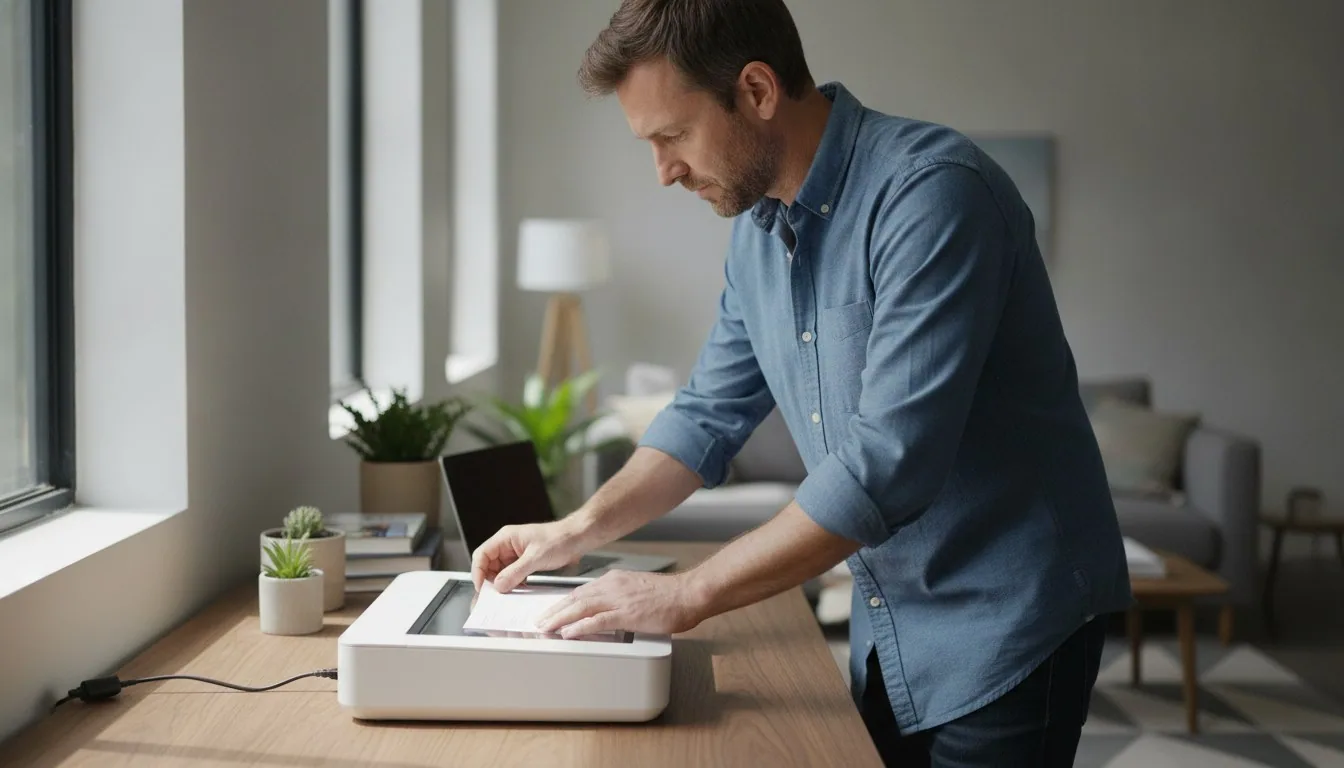
A flatbed scanner works like a photocopier lid in reverse. You set a photo, a page, or a whole open book face-down on a sheet of glass, close the lid if there is one, and a bar carrying a light source and an image sensor slides underneath, capturing the page one thin strip at a time. Nothing about the original moves. That single fact explains almost everything else about how flatbeds get used.
A sheetfed scanner flips the arrangement. The sensor stays put, and a set of rollers, usually organized into what's called an automatic document feeder or ADF, grabs a sheet from a tray and drags it past the scan head. Load a stack of pages into the feeder and the machine works through all of them without anyone touching a lid, or in this case, without there being any glass to touch at all. Duplex feeders add a second sensor so both sides of the page get captured on the same pass through the rollers.
Plenty of all-in-one printers blend the two ideas, pairing a small flatbed bed with a basic feeder tray, but a scanner built around one mechanism specifically tends to do that one job with less compromise than a hybrid does.
Speed and paper volume: why offices lean sheetfed
Sheetfed scanners with an automatic document feeder clear stacks of loose paper far faster than a flatbed, which requires lifting the lid and repositioning every single page by hand.
Speed is where the difference stops being theoretical. A flatbed asks you to lift the lid, place a page, close it, wait for the pass, then repeat for every sheet. That's fine for the occasional form. It is not fine for two hundred invoices.
Feeder-equipped scanners are built around the opposite assumption: that paper arrives in stacks. ADF trays on the desktop models we've compared hold anywhere from 50 to 100 sheets at a load, and duplex units can scan both sides at up to 60 pages a minute in mono and color alike, with some rated for as many as 4,000 scans in a single day. That kind of throughput is the entire reason document-heavy offices standardize on a sheetfed scanner rather than a flatbed, and it's also why our document scanner roundup leans so heavily on feeder capacity and duplex speed when comparing current models.
None of that automation is free. A feeder is a mechanical system with moving parts, and mechanical systems occasionally misfeed, especially on paper that's thin, glossy, stapled, or slightly out of square. If your stack is genuinely uniform office paper, that risk stays low. If it's a mixed pile of receipts, folded letters, and the occasional photograph, expect the feeder to complain.
What rollers do to fragile, bound, or oversized originals
Flatbed scanners keep fragile, bound, or irregularly shaped originals flat and untouched, while sheetfed rollers can crease, scratch, or jam anything that isn't a sturdy, loose single sheet.
Run a stiff, modern printer sheet through rollers a thousand times and nothing bad happens. Run a curling old photograph, a wax-sealed document, or the spine of a hardbound ledger through the same rollers, and the outcome is different. Photos can crease or scratch as they pass through; bound pages simply have nowhere to go, since a feeder needs a loose single sheet to grab in the first place.
This isn't just caution dressed up as marketing copy. The National Archives' own technical guidelines for digitizing archival materials explicitly bar automatic feed devices, drum scanners, or anything that requires a document to be fed into or wrapped around rollers when handling original records, and instead require equipment with a platen or copy board that supports the whole item flat across its entire surface. That's a flatbed, in plain terms, or an even gentler overhead setup for anything too fragile to touch at all.
There's a wrinkle even flatbeds don't escape. Press an encapsulated or plastic-sleeved document too evenly against the glass and you can get Newton's rings, the faint rainbow-colored interference pattern that shows up when two very smooth surfaces make contact, a quirk the same NARA guidelines document in detail. It's minor and well understood, but it's a reminder that 'gentler' doesn't mean 'flawless.'
Resolution and color depth: the numbers worth checking
Everyday sheetfed document scanners are tuned toward legible text at a modest resolution, while flatbed models built for photo and fine-art work commonly offer higher native resolution and color depth.
Scanner marketing loves big resolution numbers, but the number that matters depends entirely on what's on the glass or in the feeder. Federal guidance for digitizing permanent paper records sets a minimum of 300 pixels per inch (ppi) for ordinary typed or printed text, and a higher minimum of 400 ppi for photographic prints and other fine-detail originals, under the rules the National Archives applies to its own holdings.
Sheetfed document scanners are usually tuned toward the lower end of that range, because legible text doesn't need much more resolution once you're past a few hundred ppi, and pushing higher just slows the feeder down for no visible benefit. Flatbed models aimed at photography or fine-art reproduction commonly offer higher native optical resolution and greater color depth, because fine grain, brush strokes, and subtle tonal gradients actually reward the extra detail. Color mode matters too: the same government guidance calls for RGB capture whenever color or other visual characteristics carry real information, rather than defaulting to grayscale to save file size.
None of this means a sheetfed scanner produces a worse document. It means the two formats are optimized for different kinds of detail, and buying based on resolution alone, without asking what you're actually scanning, is how people end up disappointed with an objectively capable machine.
Desk space, portability, and the upkeep nobody mentions
Sheetfed scanners are generally lighter and more travel-friendly, while flatbeds need a fixed flat surface but have fewer moving parts to maintain over time.
A flatbed needs a flat surface roughly the size of its platen, plus lid clearance, sitting in one spot on a desk or shelf. That's rarely a dealbreaker at home, but it adds up in a small office where every scanner competes with a keyboard, a monitor, and a coffee mug for the same six square feet.
Sheetfed scanners tend to run slimmer, and some are built to travel: the lightest portable models in the category we track weigh well under a pound, while a representative flatbed comes in closer to 3.6 lb. If a scanner needs to live in a bag rather than on a shelf, sheetfed almost always wins that argument outright.
Upkeep looks different, too. A flatbed's glass collects dust and fingerprints that show up as faint marks on every scan until you wipe it down, but there's little else to wear out. A feeder has rollers and separation pads doing physical work on every page, and on a machine running thousands of sheets a month, those parts eventually wear smooth and need replacing, the same way a photocopier's feeder does. If uptime under heavy volume matters more to your setup than desk space, our desktop scanner lineup breaks down which models are built for that kind of daily use.
Matching the scanner to what you actually scan
Choose sheetfed for loose, everyday paper you're willing to run through rollers, and flatbed for anything fragile, bound, or irreplaceable that needs to stay flat and untouched.
Strip away the spec sheets and the decision usually comes down to one question: is what you're scanning disposable-condition paper, or is it something you'd hate to damage? Loose invoices, contracts, tax paperwork, and business cards fall firmly into the first category, and a sheetfed scanner with a real automatic document feeder will out-scan a flatbed on that pile every time.
Photographs, bound books, IDs, negatives, or anything with sentimental or archival value belong in the second category, and that's flatbed territory. A lot of households and small offices genuinely need both: a feeder for the everyday paper flood and a flatbed for the box of photos in the closet, or the one contract that's stapled, wrinkled, or older than the scanner shopping for it.
If you're still weighing options across brands and formats rather than just mechanisms, our best scanners guide lines up current picks from both categories side by side, which is a faster way to compare real models once you've settled on flatbed, sheetfed, or both.
Sheetfed wins the moment you have more than a few loose pages to get through: an automatic document feeder plus duplex scanning clears a stack in the time a flatbed spends on its first page. Flatbed wins the moment anything you're scanning can't survive being pulled through rollers, whether that's a photograph, a bound ledger, or an ID card. Neither format is the universally better buy, which is the honest, if unglamorous, answer.
Frequently asked questions
Can a sheetfed scanner damage old photographs?
Is a sheetfed scanner better for scanning receipts and invoices?
Can I scan a bound book on a sheetfed scanner?
What resolution do I actually need to scan documents versus photos?
Do sheetfed scanners scan both sides of a page at once?
Sources & references
- Digitizing Records: Requirements for Paper and Photographs — National Archives and Records Administration (NARA), Records Express
- Technical Guidelines for Digitizing Archival Materials for Electronic Access: Creation of Production Master Files - Raster Images — National Archives and Records Administration (NARA)