How to clean and maintain a paper shredder
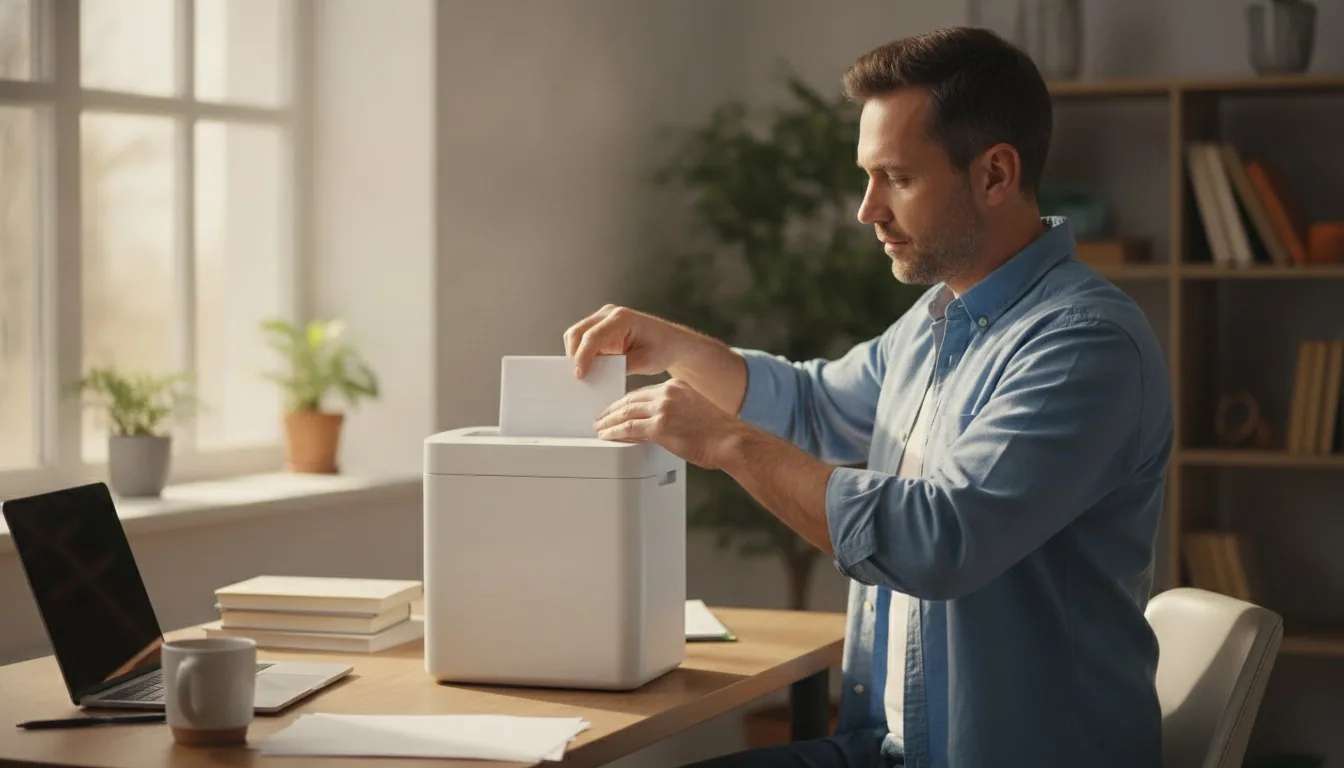
- Unplug the shredder before touching the blades. CPSC's shredder injury data centers on children under 5 catching fingers in the feed slot, which is reason enough to keep the cord unplugged whenever the shredder sits idle.
- Brush or blow dust off the cutting teeth on a schedule tied to actual usage, not the calendar: monthly for light home use, weekly for a shredder running daily in an office.
- Most jams trace back to a dry cutting head rather than a worn motor. Lubricate with shredder oil or oil sheets, and skip WD-40 or vegetable oil, which gum up the blades instead of protecting them.
- Grinding, slipping, or stalling that survives a full cleaning and fresh oil usually means the gears themselves are worn, not dirty. That is when paper shredder gears replacement becomes the real fix.
- Shredded paper is often recyclable as mixed-grade paper per EPA guidance, as long as the pieces are an appropriate size and free of plastic or other contaminants. Check with the local hauler first.
Unplug the unit before any cleaning or filter work.
Unplug the shredder
Disconnect the power cord before you do anything else. The cutting head can still carry current when the shredder is merely switched off, so unplugging is the only way to work near the blades safely.
Empty and inspect the bin
Remove the waste bin and clear out shredded paper so you can see and access the cutting head fully. Check for stray staples, paper clips, or torn scraps caught between the teeth while the bin is out.
Brush or blow out the dust
Use a stiff-bristled brush or a can of compressed air along the length of the cutting shaft to clear built-up paper dust. Work along the shaft rather than straight down into it, so debris comes out instead of getting pushed deeper into the mechanism.
Wipe the housing
Lightly dampen a lint-free cloth with water, or a small amount of rubbing alcohol for stuck-on residue, and wipe the exterior and feed opening. Let everything dry fully before the next step, since moisture and electrical components do not mix.
Lubricate the cutting teeth
Feed a pre-oiled lubricant sheet through the shredder like a normal sheet of paper, or apply a thin line of shredder oil directly across the cutting teeth. Run the shredder in reverse for a few seconds afterward so the oil spreads evenly across the blades.
Reassemble and test
Replace the waste bin, plug the shredder back in, and run a few scrap sheets through on a normal cycle. Listen for grinding or slipping; a clean, freshly oiled shredder should feed smoothly and sound noticeably quieter than it did before cleaning.
Reset the maintenance schedule
Note the date, either mentally or with a note on the unit, so the next cleaning happens on a schedule tied to actual usage rather than guesswork. Heavy daily use calls for weekly checks; occasional home use can stretch to once a month or two.
| Quick Facts | |
|---|---|
| Highest-risk age group for shredder finger injuries | under 5 years old (CPSC) |
| CPSC safety-design marker | shredders made after 2007 have safer feed-slot designs |
| Typical auto-feed shredder continuous run time | varies widely by model; check the nameplate or manual for the rated limit |
| EPA condition for recycling shredded paper | appropriately sized and free of contaminants like plastic |
What paper shredder maintenance actually involves
Paper shredder maintenance means three recurring jobs: clearing dust and shred confetti from the cutting head, lubricating the cutter teeth, and giving the motor scheduled rest so it does not overheat.
Shopping for a specific model? See the best paper shredder we tested — 10 models compared on the specs that decide it.
Most people treat a paper shredder as maintenance-free until it is not. In reality the machine has moving metal parts under constant friction, and paper itself is abrasive: every sheet that passes through leaves behind fine dust that settles on the cutting teeth and inside the motor housing. Basic paper shredder maintenance comes down to three habits: dust control, lubrication, and cool-down discipline. The habit that matters most is the discipline to clean a paper shredder on a set schedule, not just when something jams. Skip any of these long enough and the symptoms show up the same way: jams, a burning smell, or a motor that strains on documents it used to shred without effort.
None of this requires special tools. A soft brush, a can of compressed air, shredder oil or pre-oiled lubricant sheets, and a lint-free cloth cover almost everything a home or small-office unit needs. What trips people up is timing. Cleaning too rarely lets dust cake onto the blades, and skipping lubrication for months in a row is the single biggest reason shredders start jamming on paper they used to handle without trouble.
How often should you clean a paper shredder?
Light home use calls for a dust check every month or two; a shredder running daily in a busy office needs blade cleaning and lubrication closer to every one or two weeks.
Frequency depends almost entirely on volume, not calendar time. A shredder that handles a stack of junk mail once a week barely builds up dust and can go a couple of months between cleanings. An office unit chewing through reams of paper every day is a different animal: the cutting teeth pick up grit constantly, and skipping cleaning for even a few weeks starts to show as slower feeding and more frequent jams. There is no single interval that works for every machine, but the honest answer to how often you should clean a paper shredder is that it depends on how hard the machine works, not what day of the month it is.
A rough guide: light home use, check monthly. Moderate home-office use, check every two to three weeks. Heavy daily office use, clean and lubricate weekly. Treat these as starting points, not rules. If a shredder starts sounding labored or leaving ragged, half-cut strips, it is telling you the schedule needs to tighten regardless of what the calendar says.
Removing dust and shredded paper buildup
Unplug the shredder, open or tilt the cutting head away from the bin, and brush or blow the paper dust off the teeth. Never spray liquid cleaner directly onto the blades.
The safest way to clean a paper shredder starts with unplugging it completely, since the cutting head can technically still carry current even when the switch is set to off, and reaching toward the blades with the cord connected is how injuries happen. Once it is unplugged, most shredders let the cutting head tilt back from the bin, exposing the teeth for cleaning.
A stiff-bristled brush or a can of compressed air clears the bulk of the dust. Work along the length of the cutting shaft rather than blowing straight down into it, since forcing debris deeper into the mechanism defeats the point. Avoid spray cleaners and anything wet on the blades. Moisture reacts badly with the fine metal shavings and paper dust that collect there, and it tends to leave the teeth prone to rust rather than actually clean. For the outer housing, a cloth barely dampened with water, or a small amount of rubbing alcohol for stuck-on residue, is enough. Let it dry fully before plugging the unit back in.
Lubricating the cutting head
Feed a shredder lubricant sheet, or a thin line of shredder oil, across the cutting teeth, then run the machine in reverse for a few seconds so the oil spreads evenly across the blades.
Lubrication matters more than most owners assume. A dry cutting head is the top cause of jams that have nothing to do with overloading the machine. Oil reduces friction between the interlocking teeth, and without it the blades grind against each other and against paper fibers instead of shearing cleanly through them. Pre-oiled lubricant sheets are the simplest option: feed one through like a normal sheet of paper, then reverse the shredder briefly so the oil spreads across the full width of the cutter.
How often depends on the cut type. Micro-cut heads pack more cutting surfaces into the same width, so they build up friction faster and need oil more often than a strip-cut machine doing simpler work, with cross-cut units sitting in between. A practical habit is to oil the shredder whenever the bin gets emptied, since that is a usage-based trigger rather than an arbitrary date. Skip WD-40, vegetable oil, or any household lubricant not made for shredders. They are not formulated for the temperatures a cutting head reaches, and they tend to gum up rather than lubricate, leaving a sticky residue that attracts more dust than it prevents.
Preventing jams and overheating
Stay under the rated sheet capacity, feed paper in straight rather than at an angle, and let the motor cool between long shredding sessions instead of pushing it past its rated run time.
Shredder motors are rated for a specific run time before they need to cool, and that rating varies widely by model: light-duty auto-feed units typically need a rest much sooner than heavy-duty auto-feed designs built for longer continuous stretches. The exact figure is printed on the unit's nameplate or manual, not standardized across brands, so it is worth checking rather than assuming. Push past the rated limit and the thermal cutoff will usually shut the motor down on its own, but it is still added wear on the windings every time it happens.
The other common jam cause is straightforward overloading: feeding more sheets than the shredder is rated for, or feeding paper in at an angle instead of straight. Folded documents and stapled stacks are worse than loose sheets because they concentrate thickness unevenly across the cutting width. If a jam does happen, most shredders have a reverse setting. A few seconds in reverse, followed by feeding fewer sheets at once, clears the great majority of jams without ever needing to touch the blades directly.
When to replace paper shredder gears
If cleaning and fresh lubrication do not stop a grinding noise, slipping feed, or a shredder stalling on paper it used to handle, worn or chipped gears are the likely cause, and paper shredder gears replacement is usually the fix.
Gears wear out eventually, even with careful upkeep. They are metal or hardened plastic teeth grinding against each other thousands of times a week, and friction adds up over years of use. The tell is a shredder that keeps balking on paper it used to shred cleanly, grinding partway through or slipping and stalling out, even right after a full cleaning and fresh oil. That combination usually rules out dust or dryness as the cause and points to physical wear on the drive gears or the cutting teeth themselves. Even an owner who works hard to clean a paper shredder on schedule will eventually run into this. Regular care slows gear wear considerably, but it does not stop it.
If lubrication and cleaning do not stop the grinding, the machine is probably due for paper shredder gears replacement rather than another bottle of oil. Whether that is worth doing depends on the unit. Replacement gear kits exist for some models, but the labor and parts cost can approach what a new shredder runs, especially on smaller home units. For a machine that sees heavy daily use, it is often more practical to retire it and step up to something built for the load. Our heavy-duty paper shredder guide covers models designed around longer continuous run times and larger cutting heads for exactly that kind of wear.
Shredder placement and safety during cleaning
Always unplug a shredder before cleaning it, and keep it positioned out of reach of small children even when it is off, since CPSC data ties most shredder finger injuries to kids under five getting a hand caught in the feed slot.
Cleaning is also a good moment to think about where the shredder lives day to day. The U.S. Consumer Product Safety Commission has documented finger amputations and lacerations from paper shredders, and its safety alert notes these injuries typically happen to children under 5 years old, often when a child manages to activate the machine while an adult is not watching, or gets fingers pulled in even during supervised use. CPSC's guidance is direct: unplug the cord whenever the shredder is not actively in use, and keep the unit somewhere less accessible to kids rather than at floor or tabletop height in a shared room. Shredders built after 2007 have safer feed-slot designs, per CPSC, but the unplug-and-relocate habit still matters regardless of the model's age.
That same unplug habit should bookend every cleaning session, not just idle time. Reaching toward the cutting teeth with the cord connected is asking for trouble even if the switch is set to off. If jam-prone feeding is a recurring headache despite clean, oiled blades, it might be less about maintenance and more about the feed mechanism itself. Our Fellowes paper shredder guide walks through models built around anti-jam feed designs, worth a look before assuming the whole unit needs replacing. And if a shredder really is past saving, our full paper shredder buying guide compares current options across cut types and duty ratings so a fresh purchase is an informed one, not a guess.
Frequently asked questions
How often should I oil my paper shredder?
What can I use to clean a paper shredder?
Can I use WD-40 on a paper shredder?
Why does my paper shredder smell like it's burning?
Is shredded paper recyclable?
How do I know when to replace paper shredder gears?
Sources & references
- Paper Shredder Safety Alert — U.S. Consumer Product Safety Commission (CPSC)
- Paper Grades and Collection — U.S. Environmental Protection Agency (EPA)